

Board
Email, calls and your day ahead, together.
Mobile and web
Email, calls and your calendar. ALISA drafts the replies, answers the phone and keeps your day on track. Nothing goes out until you approve it.
Try Basic free for seven days. No card required.
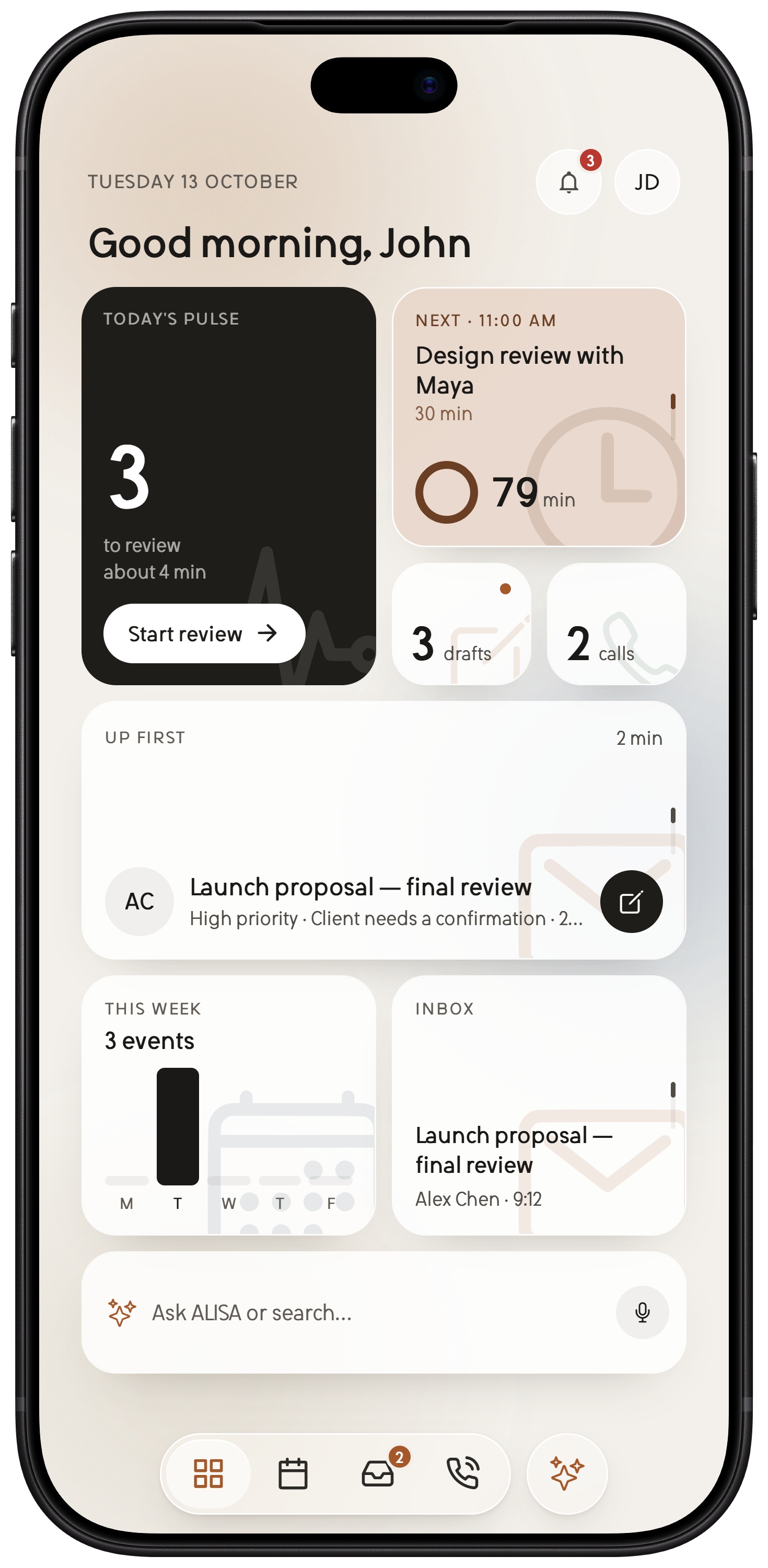
Most of a busy day is email, calls and the calendar. ALISA does the first pass on all three, then checks with you.
Inside ALISA
Ten screens, from your day at a glance to the choices that stay yours. Explore the compact and expanded layouts in both app appearances.
Email, calls and your day ahead, together.
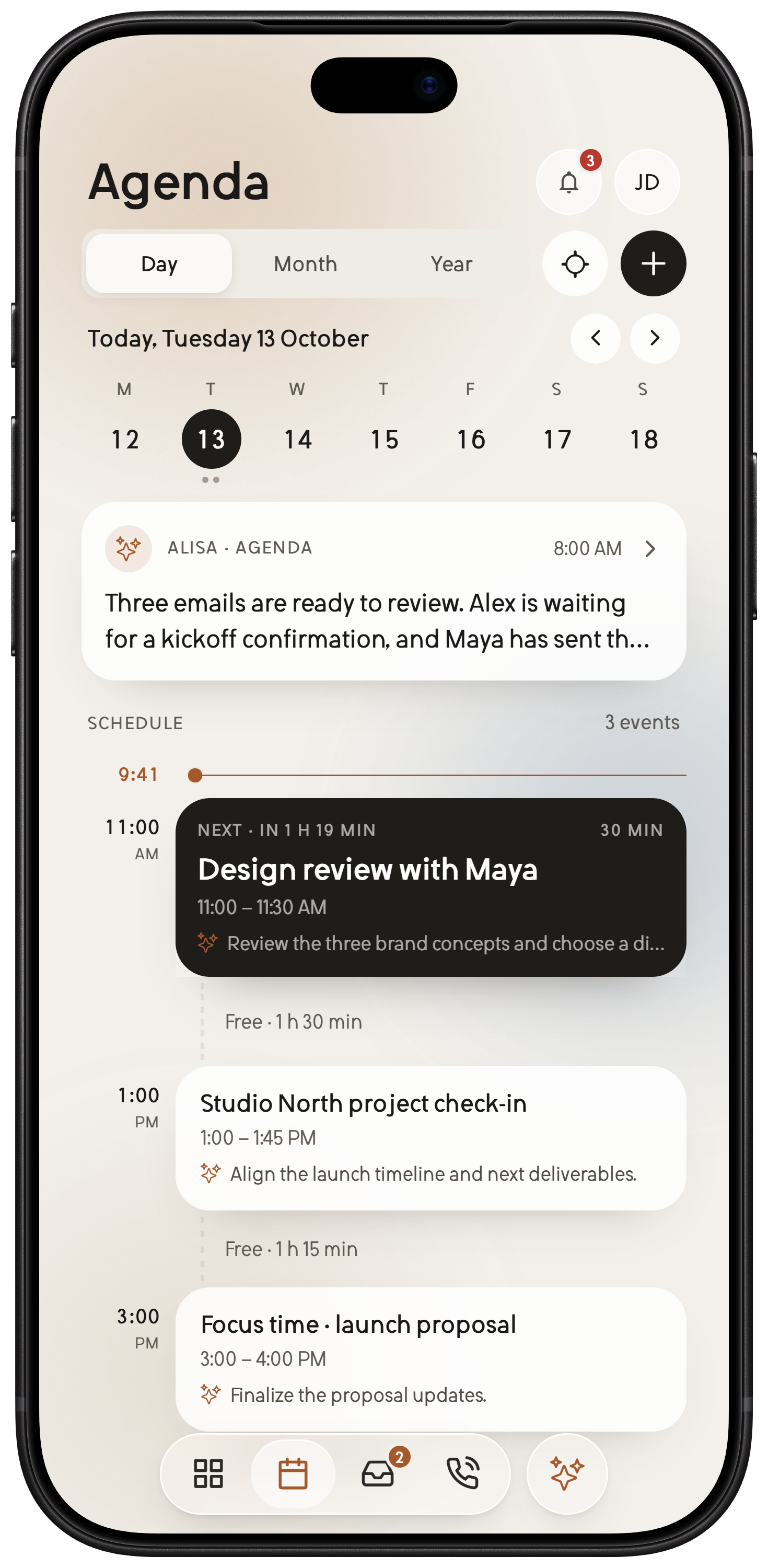
Meetings, open time and the next decision.
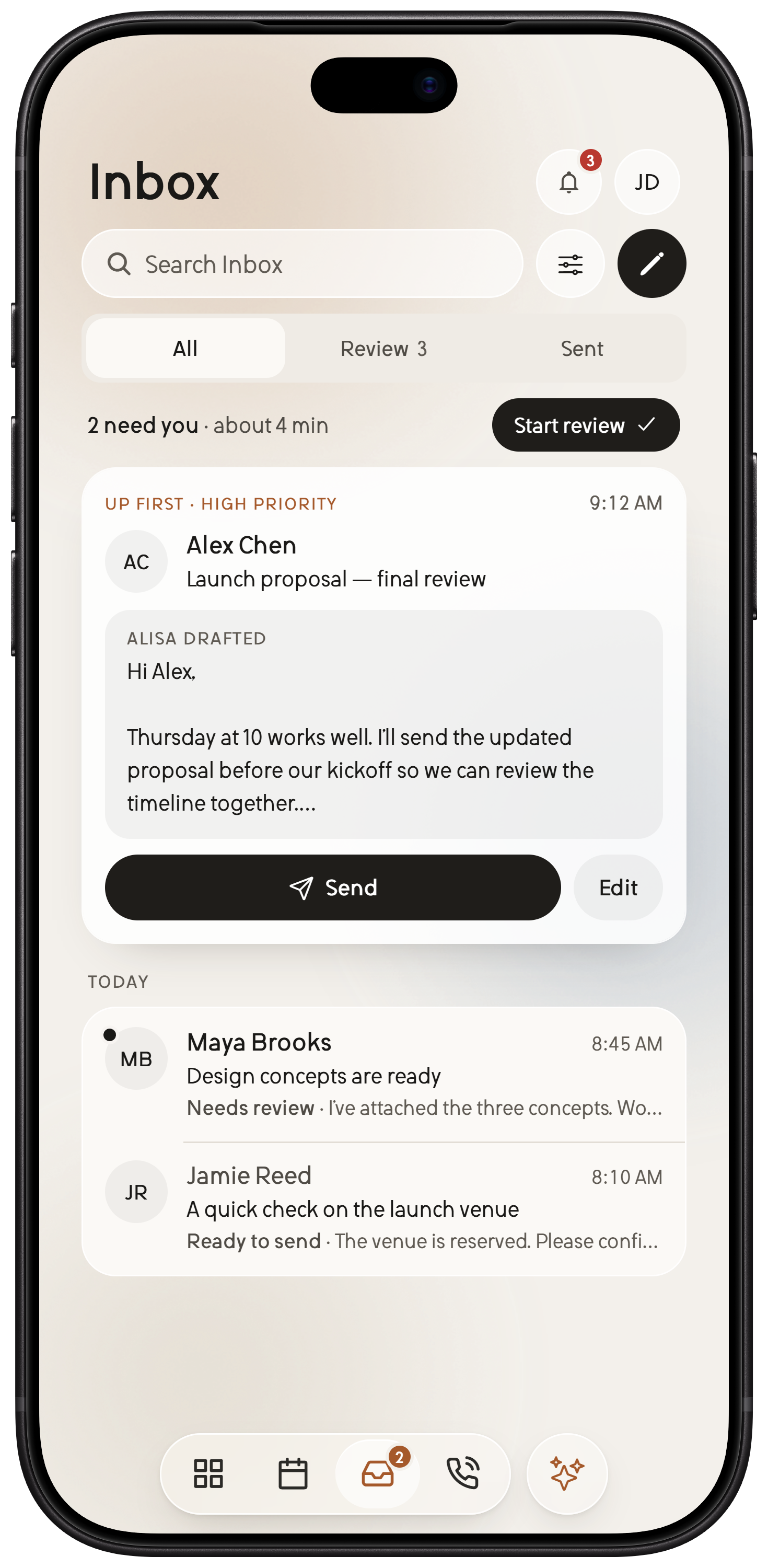
Review the replies that are ready for you.
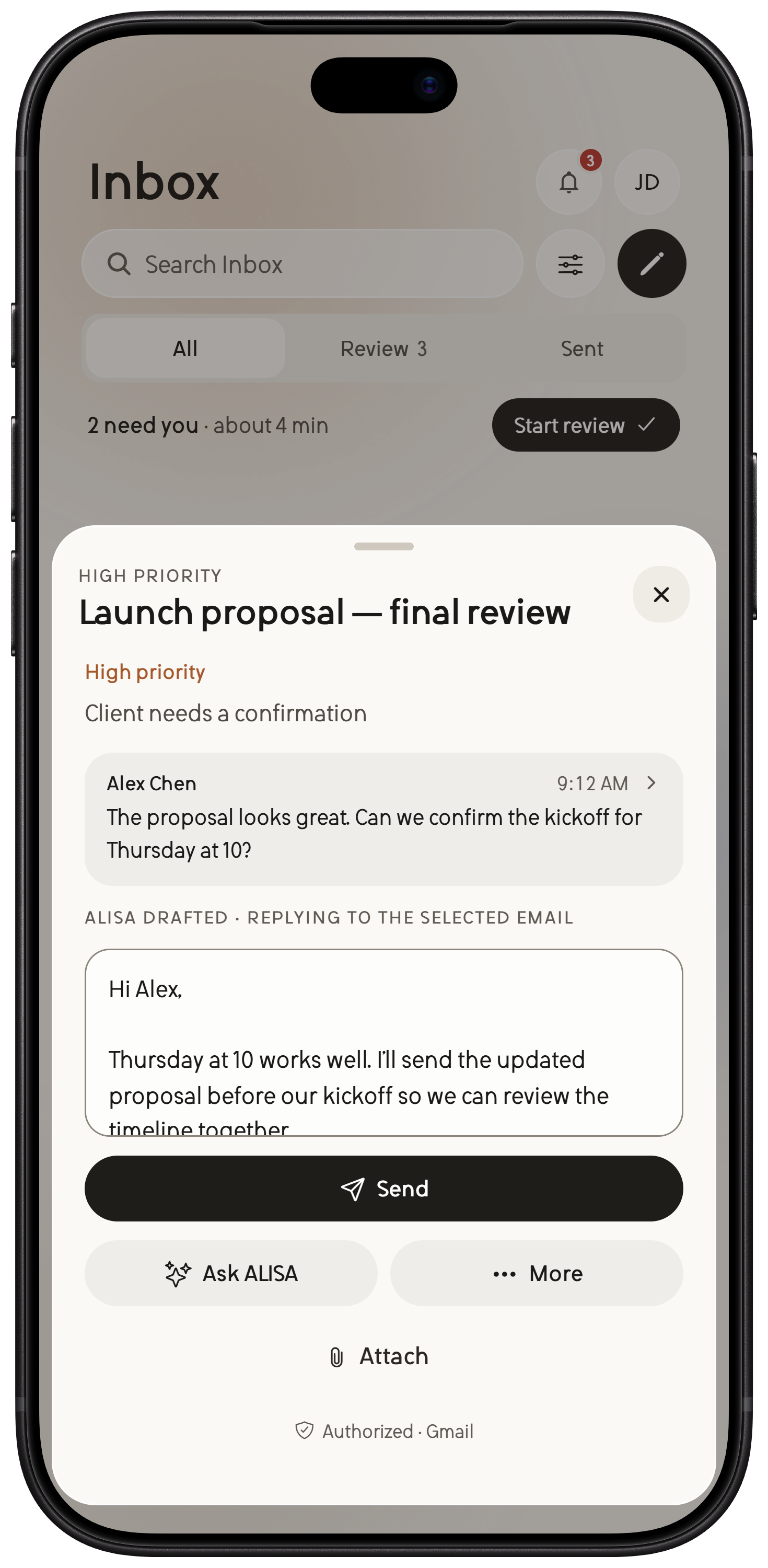
See the message and the draft in one place.
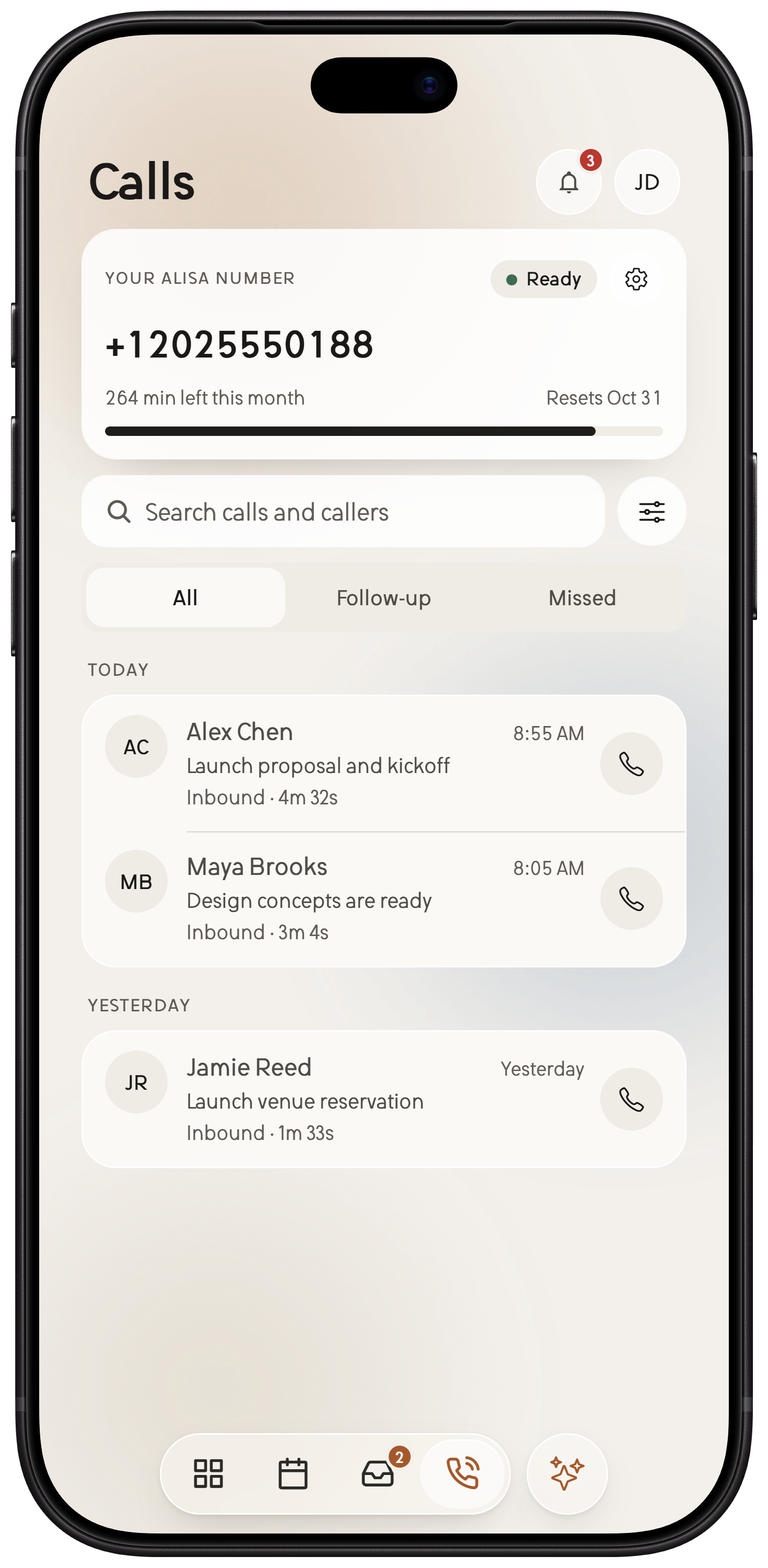
Keep conversations and their outcomes in view.
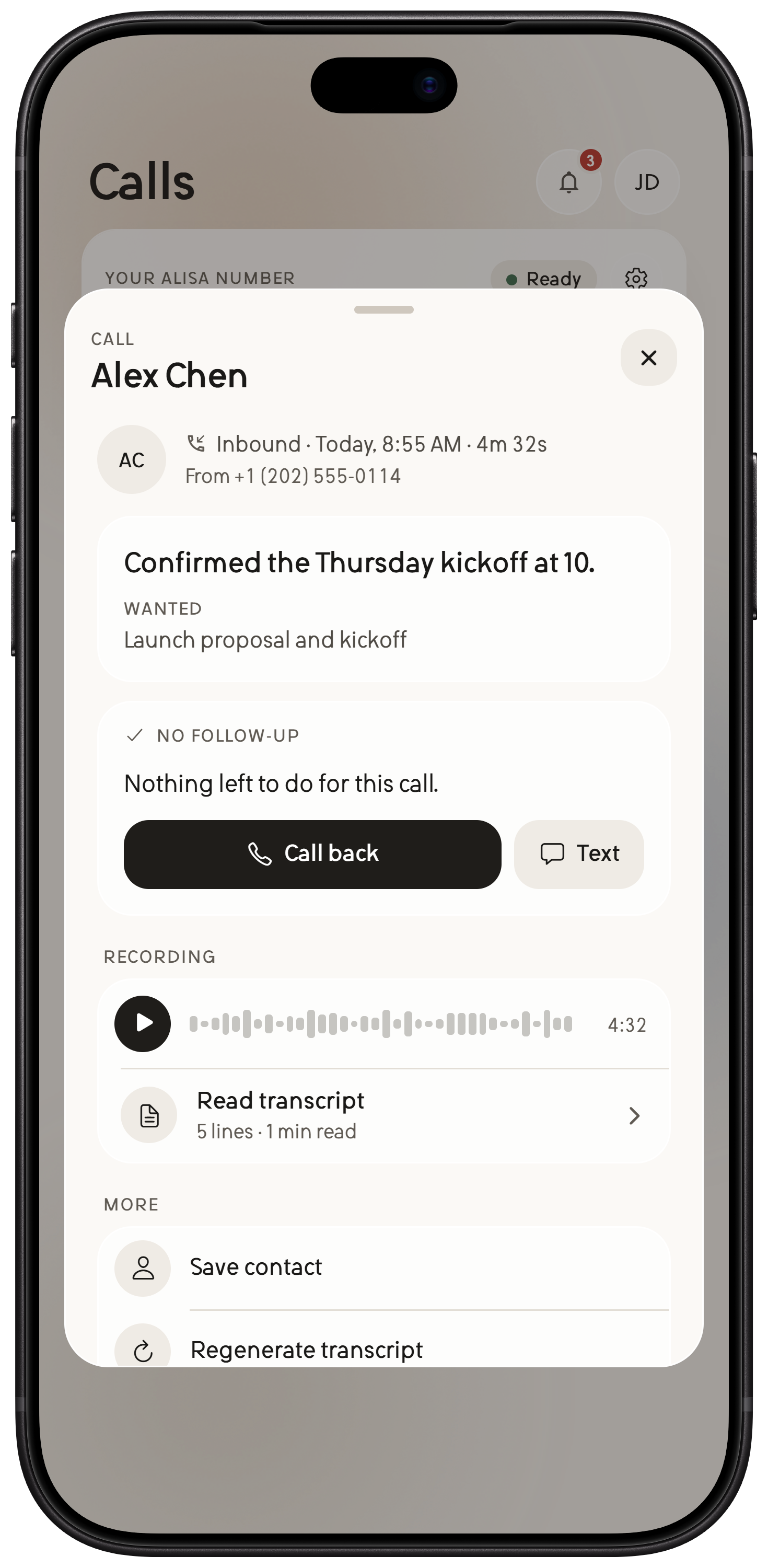
A clear summary, with the transcript a tap away.
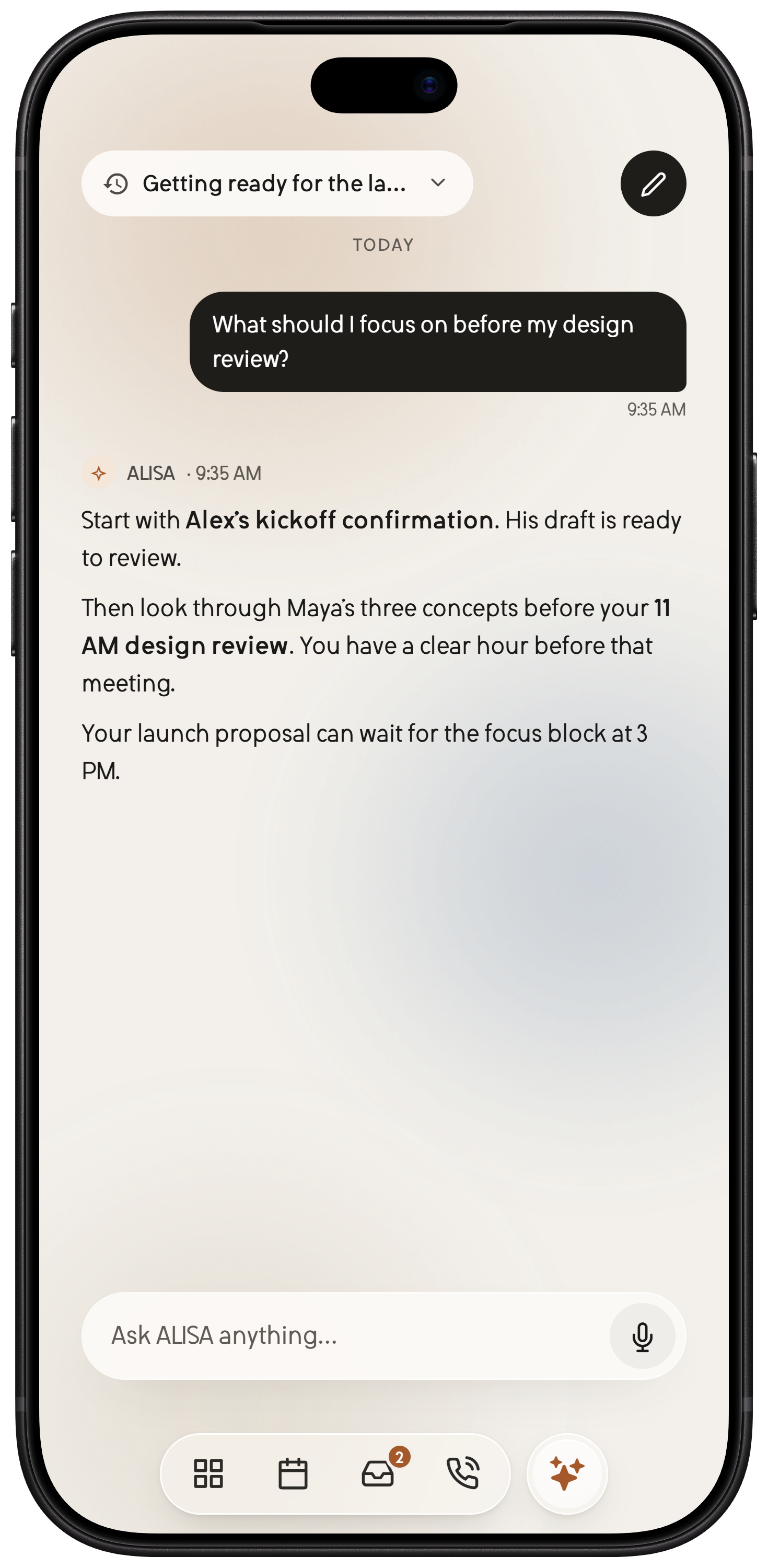
Ask ALISA for context grounded in your day.
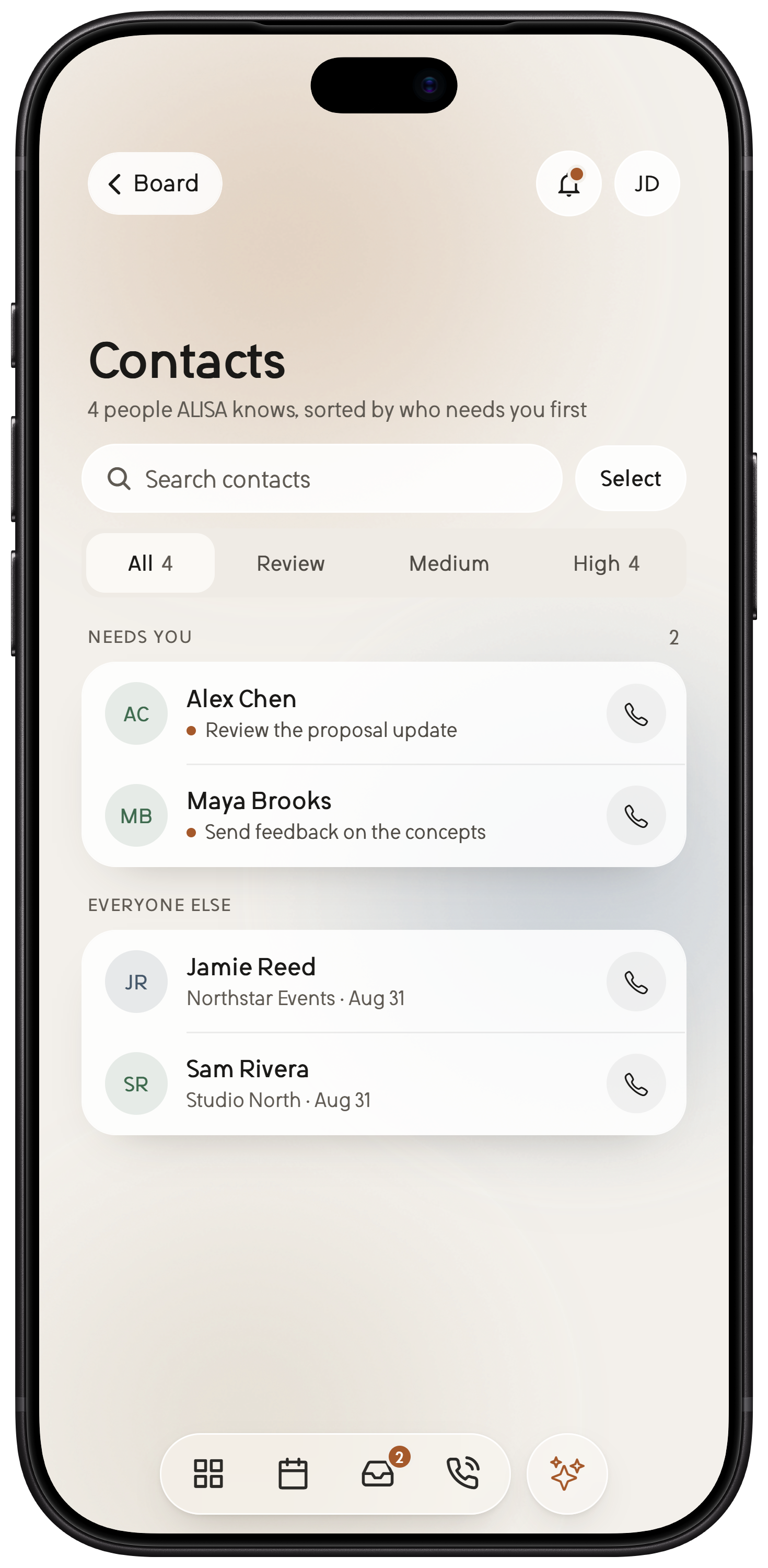
Relationships and follow-ups stay together.
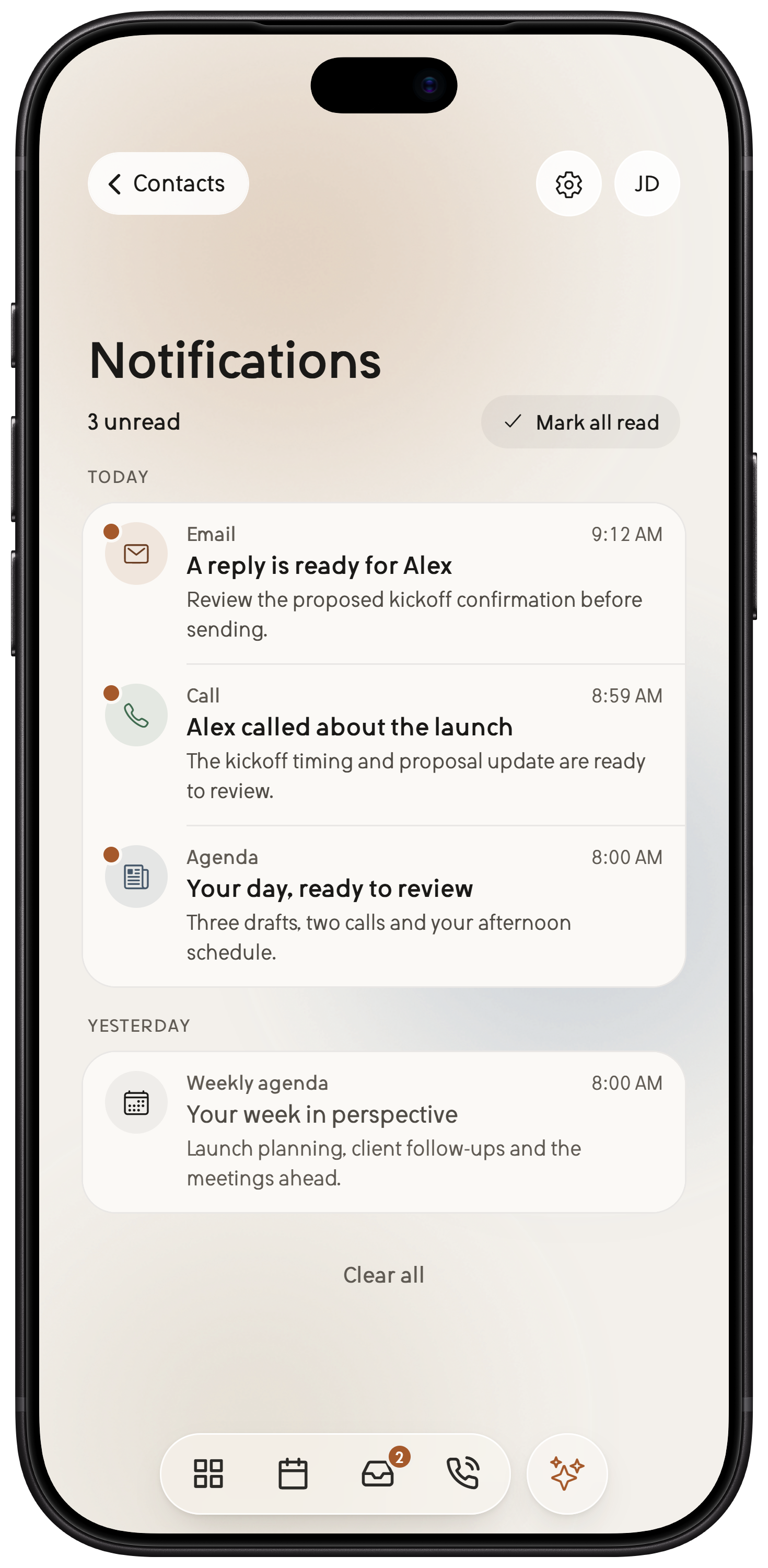
Drafts, calls and briefs, ready to review.
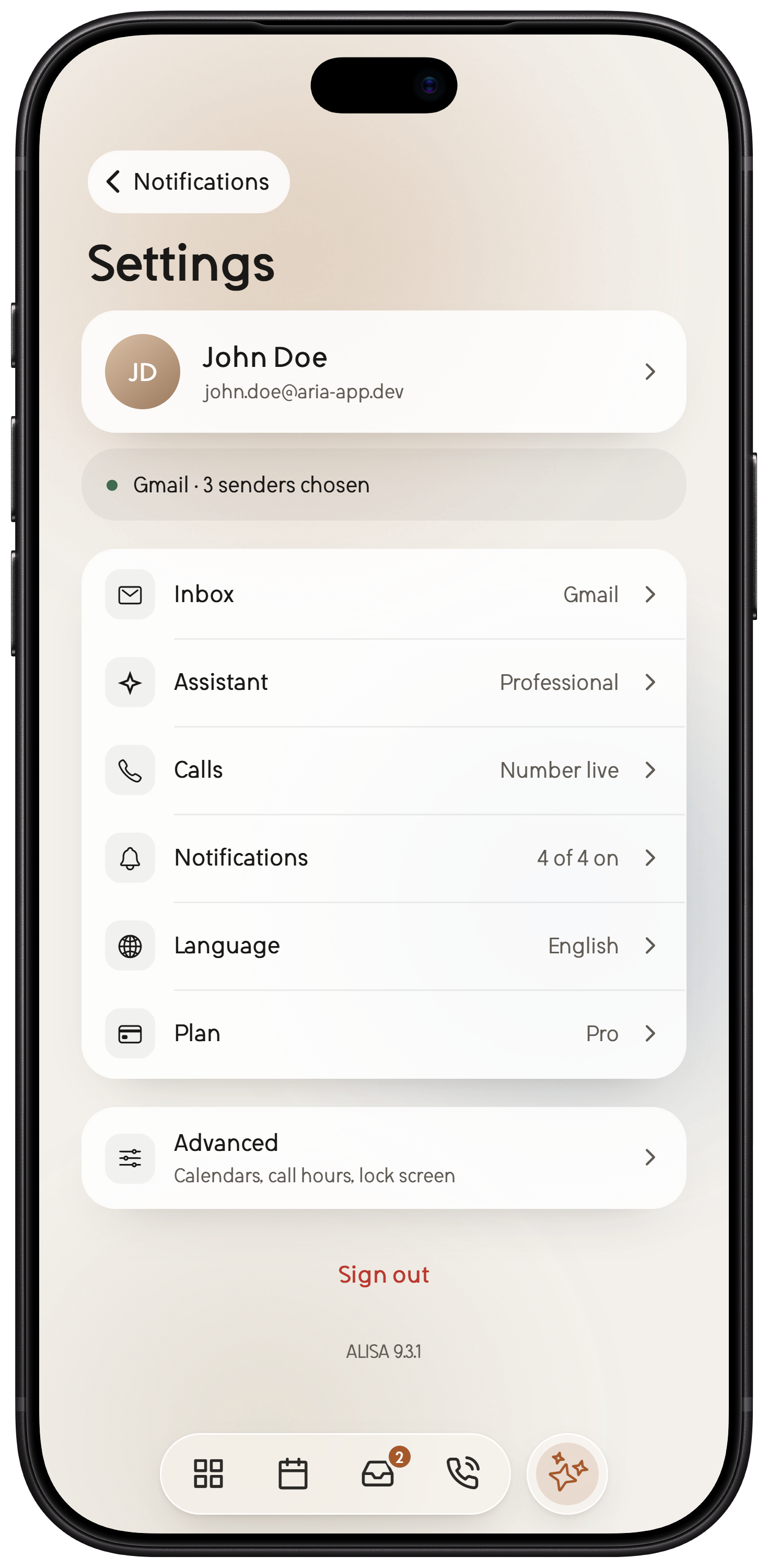
Connections, voice and settings, your way.
ALISA source previews captured October 27, 2026 with fictional offline Pro demo data. Actual light and dark app appearances; full-display backgrounds, no added top/bottom bands. Expo-web rendering is not native-device or selected-build parity. All account data is fictional and local. These are the implemented app components rendered through Expo web, not native-device acceptance or proof of an App Store release. System controls and native materials can differ.
Agenda
ALISA lays out your Google or Microsoft calendar as one calm day and starts each morning with a short Agenda. It spots the clashes, suggests open time, and gets you into the meeting with one tap.
Scheduling suggestions and calendar changes come with Standard and Pro, and wait for your OK.
Inbox
Give an email the ALISA label in Gmail or the ALISA category in Outlook, or set a rule for a sender, a domain or a search. ALISA reads only those messages and drafts the reply. Approve it, change it, or let it go.
Works with Gmail and Microsoft 365. Basic includes 25 drafts a month, Standard 100 and Pro 500.
Calls
Standard and Pro come with your own ALISA number. Share it, and ALISA picks up. It tells callers they are talking to an AI assistant, finds out what they need, and sends you a short summary with the next step. The full transcript is there when you want it.
When an urgent caller needs you, ALISA lets you know right away: take the call, or let ALISA take a message. Standard includes 100 voice minutes a month and Pro 300. Call for me, where ALISA places a call you have reviewed and approved, is in private beta on Pro.
Chat
Ask in plain words: move a meeting, write an email, find what someone said on a call. ALISA answers as it works, and anything it would send or change comes back as a card for you to review.
People and alerts
ALISA keeps a short profile of the people you deal with, built from your calls and the email you share with it, with their next steps in view. Edit or merge anything. On Standard and Pro.
Drafts to approve, calls summarized, your Agenda and Weekly agenda, grouped by day so the next decision is easy to find.
Settings
Choose how ALISA answers your number, who gets put through to you, and how it writes and sounds. Every row shows its current value, so nothing hides.
Privacy and control
ALISA is built to ask first. Here is exactly where the lines are.
ALISA reads messages you label ALISA in Gmail or give the ALISA category in Outlook, and messages that match a rule you set. Nothing else in your inbox.
Every reply waits for your approval. Calendar changes wait too, unless you asked for that exact change.
ALISA tells every caller they are talking to an AI assistant and that the call may be recorded and transcribed. Recordings are deleted after 30 days.
We don't sell your information or show ads. OpenAI, our AI provider, doesn't train on ALISA's data, and neither do we. You can delete your account and its data in the app at any time.
Pricing
$5.99/mo
or $54.99/yr when paid yearly
Email-first essentials.
$16.99/mo
or $159.99/yr when paid yearly
The complete everyday assistant.
Everything in Basic, plus
$39.99/mo
or $399.99/yr when paid yearly
More room for busy inboxes and phones.
Everything in Standard, plus
Coming: Call for me. ALISA will call a person or business after you review and approve the task. A private beta for Pro, with clear limits.
Choose ProStandard and Pro can add email accounts for $2.99 per account each month. Plans renew until you cancel.
Compare every featureOnly the messages you choose. In Gmail, give a message the ALISA label; in Outlook, the ALISA category. You can also set rules for a sender, a domain or a search, and ALISA marks matching messages for you.
For each inbox, you decide whether ALISA sees just that message or its whole conversation.
No email is sent until you approve it. ALISA prepares the reply, and you edit, approve or discard it. Calendar changes wait for you too, unless you asked for that exact change.
Gmail and Microsoft 365 for email, and Google or Microsoft calendars. Basic connects one email account, Standard three and Pro five.
No, your number stays yours. Standard and Pro add a separate ALISA number that you can share, and ALISA answers the calls that come to it.
ALISA tells every caller they are talking to an AI assistant and that the call may be recorded and transcribed. When call recording is on, recordings are deleted after 30 days.
Follow the consent and recording laws where you live.
No. ALISA's AI provider is OpenAI, which does not use ALISA's data to train its models, and neither do we. AI features only start after you agree to share data with OpenAI.
Yes. New accounts get a seven-day trial of Basic once the account is confirmed, with no card required. When it ends, paid features pause until you choose a plan. You are never charged automatically.
Any time. If you subscribed in the mobile app, cancel from the subscriptions in your app store account. If you subscribed on the web, open Settings in ALISA and go to billing.
You keep access until the end of the period you paid for.
Madd Technologies LLC. Questions are welcome through the Madd Technologies contact page.
Let ALISA prepare the work. Keep the judgment, the voice and the final say where they belong: with you.